
Integration with FastBound® FFL Electronic A&D Compliance Software
FastBound Firearm Compliance Software is focused on the firearms compliance requirements of FFLs and gun stores. Founded in 2010, FastBound FFL software is an ATF compliance A&D software that manages the 4473 process.
Electronic A&D Software
FastBound’s Electronic A&D software streamlines compliance for Federal Firearms Licensees (FFLs) with easy-to-use, ATF-approved record-keeping. Eliminate manual errors, save time, and gain peace of mind with automated 4473 forms, robust audit features, and guaranteed legal protections. Make compliance hassle-free with ATF Compliance software integrated with your POS system.
Electronic 4473 Workflow
English and Spanish-speaking buyers complete more 4473 forms electronically with FastBound than any other software vendor. Transform any computer, tablet, or buyer’s smartphone into a compliant 4473 with digital signature and digital storage support without transaction fees or special hardware requirements.
Compliance Guarantee
FastBound FFL software includes a guaranteed legal defense related to the use of its software.
Sync Acquisitions, Dispositions, Gunsmith and Dealer Transfer Items with FastBound
Our integration with FastBound A&D software allows you to seamlessly connect your GunBiz POS system with FastBound - creating an ATF compliant POS system. With this connection in place, when you receive any firearms into stock via a vendor shipment from a distributor, you can automatically create an acquisition in FastBound with a few clicks. Similarly, when selling a firearm in GunBiz via a customer order, you can create a disposition and and start a 4473 process in FastBound with a couple clicks.
Acquisitions
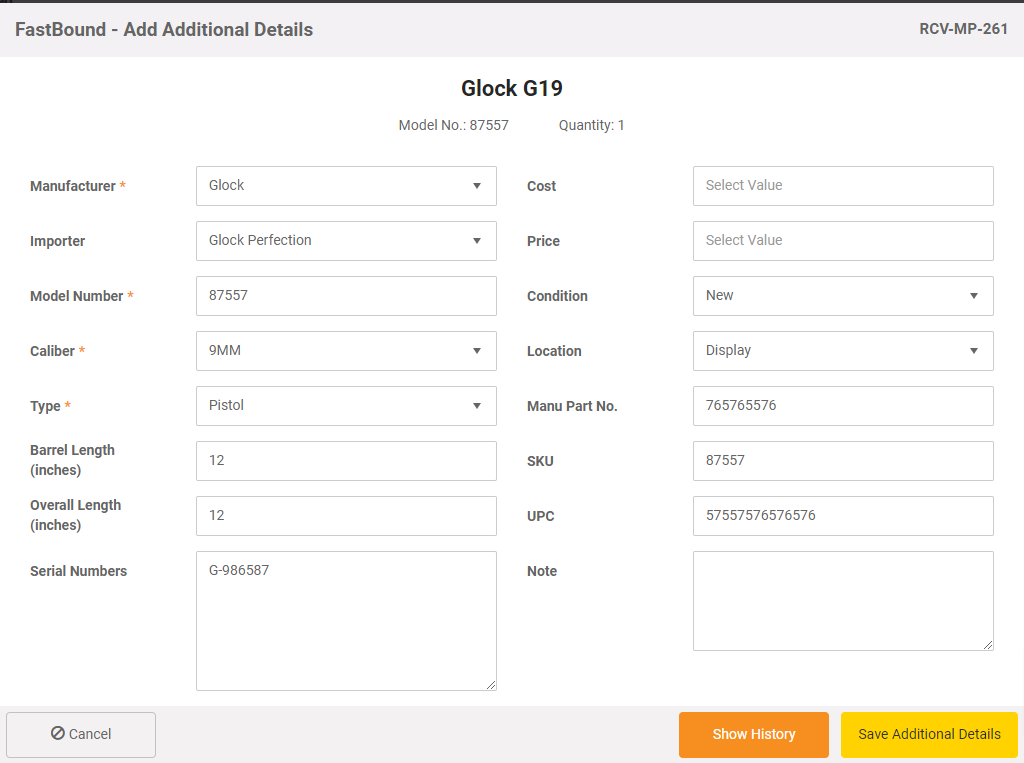
When you receive a vendor shipment to add firearms to inventory in GunBiz, you can create a acquisition in FastBound FFL software with one click. GunBiz will send FastBound all the information needed to create an acquisition record in FastBound, including the model, name, serial number and all other required ATF data. You no longer need to manually enter this data in FastBound's FFL compliance software.
Disposition/4473 Forms
When selling a firearm to a customer via an order or work order in GunBiz POS, you can match the serial number of the firearm being sold to a record in FastBound and start a 4473 registration process in FastBound with one click.
GunBiz POS will also match the customer on the order in GunBiz to the contact in FastBound based on phone number or email address. If no match is found, GunBiz can create the contact in FastBound based on the GunBiz customer with one click.
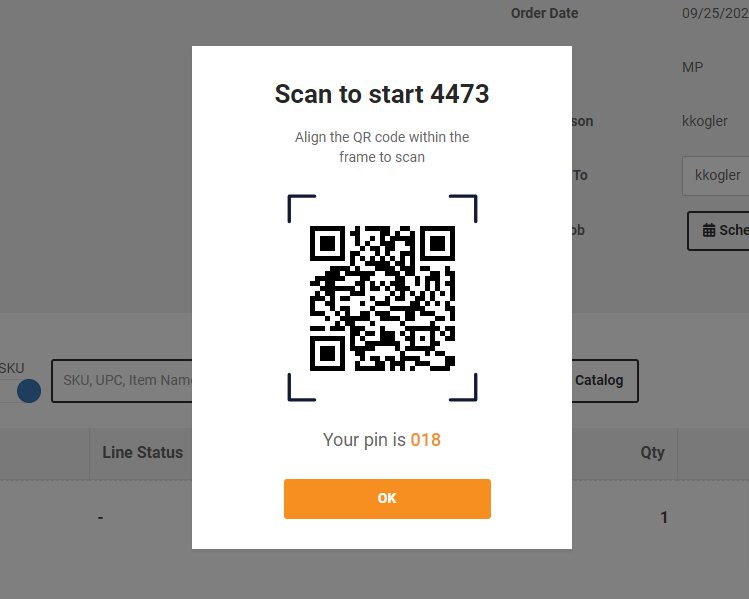
GunBiz will display a QR code and three digit pin number. You can scan the QR code with a phone or tablet or enter the pin into the FastBound 4473 login screen to start a 4473 for the specific customer and firearm.
No more trying to match the serial number of an item on a customer sale transaction to a firearm record in FastBound.
Gunsmithing
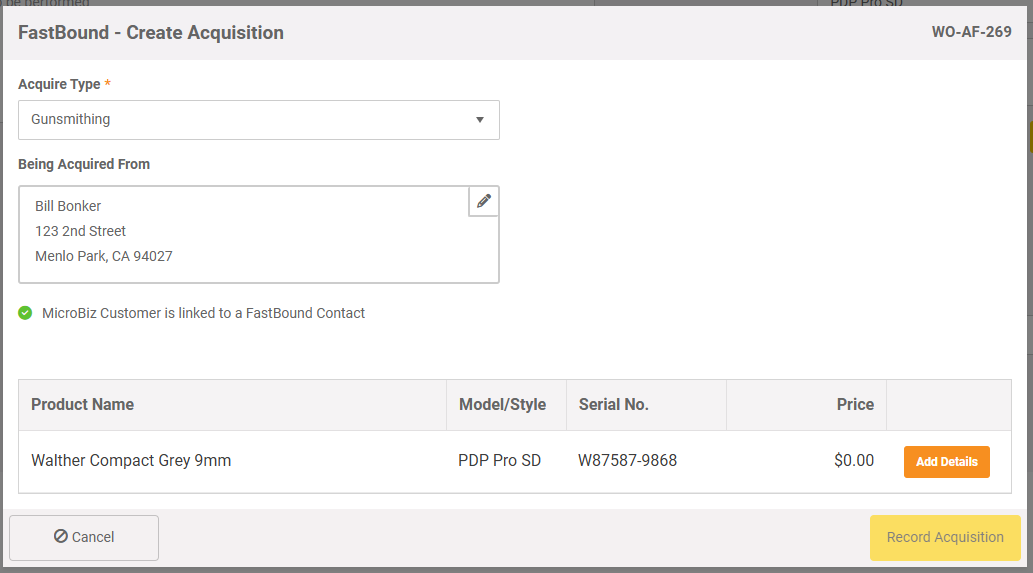
When a customer drops off a firearm for gunsmithing, you can create and lock an acquisition of the firearm in FastBound directly from the work order record. GunBiz POS allows you to enter the model, serial number and other information on the customer-owned item directly in GunBiz POS and send to FastBound with one click.
When the customer comes to pick up the firearm, you can also start a disposition directly from the GunBiz POS work order. Just press the 'Dispose Item' button and GunBiz POS will create a pending disposition in FastBound and provide a link directly to the disposition record in FastBound.
No more switching back and forth between your bound book and POS system or double entering data into two systems.
Dealer Transfers
GunBiz POS streamlines the process to manage dealer transfers.
If both the transferring and receiving FFL use FastBound, you can check to see if your FastBound system contains a transferred item and automatically add the transferring FFL's information to a transfer work order.
As transfers items aren't purchased or held in your inventory, GunBiz POS allows you to use the service item in a work order to automatically create an acquisition in FastBound with the transferred item with one click. When the customer comes to pick up the gun, you can use that work order to start a 4473 to dispose of the transferred firearm.
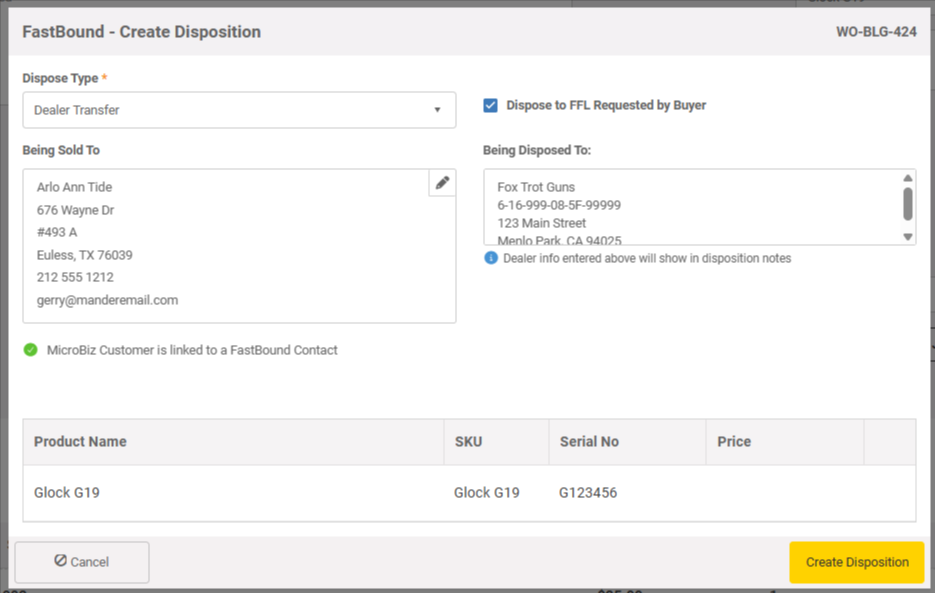
See the GunBiz POS integration with FastBound FFL compliance software. Specialty gun store POS software built for the firearms industry.
Online one-on-one demos are a great way to ask questions about your unique needs and work flows to see if GunBiz POS will be able to meet these needs.
Want to Get Started With GunBiz POS specialized firearm manaement software?
Give us a call at 650 830-5123 or fill out a request form using the button to the right.